Improved
Track Release - 26.5.18.0
New Features
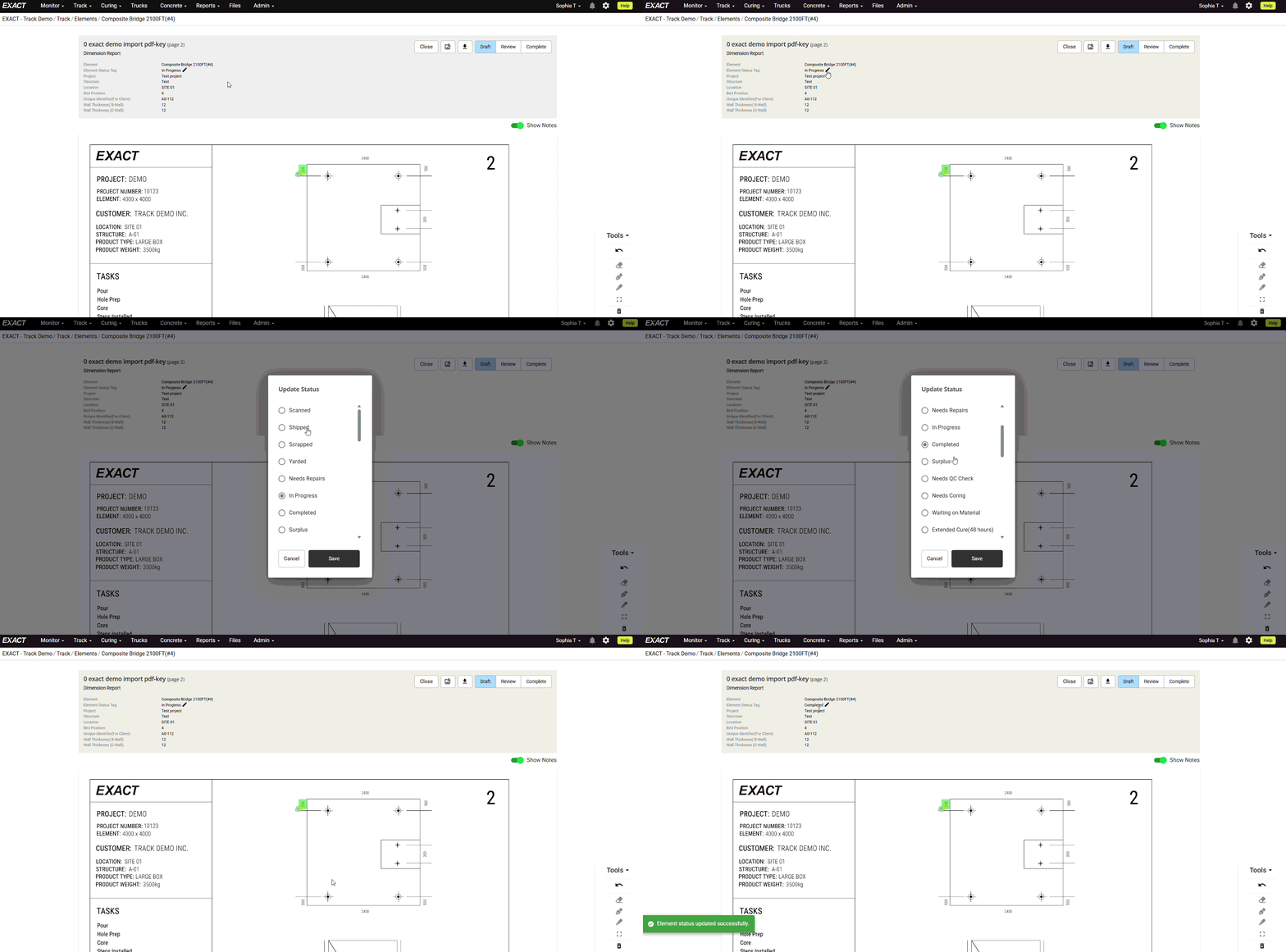
- Element status can now be changed directly from dimension, drawn, and custom report screens.
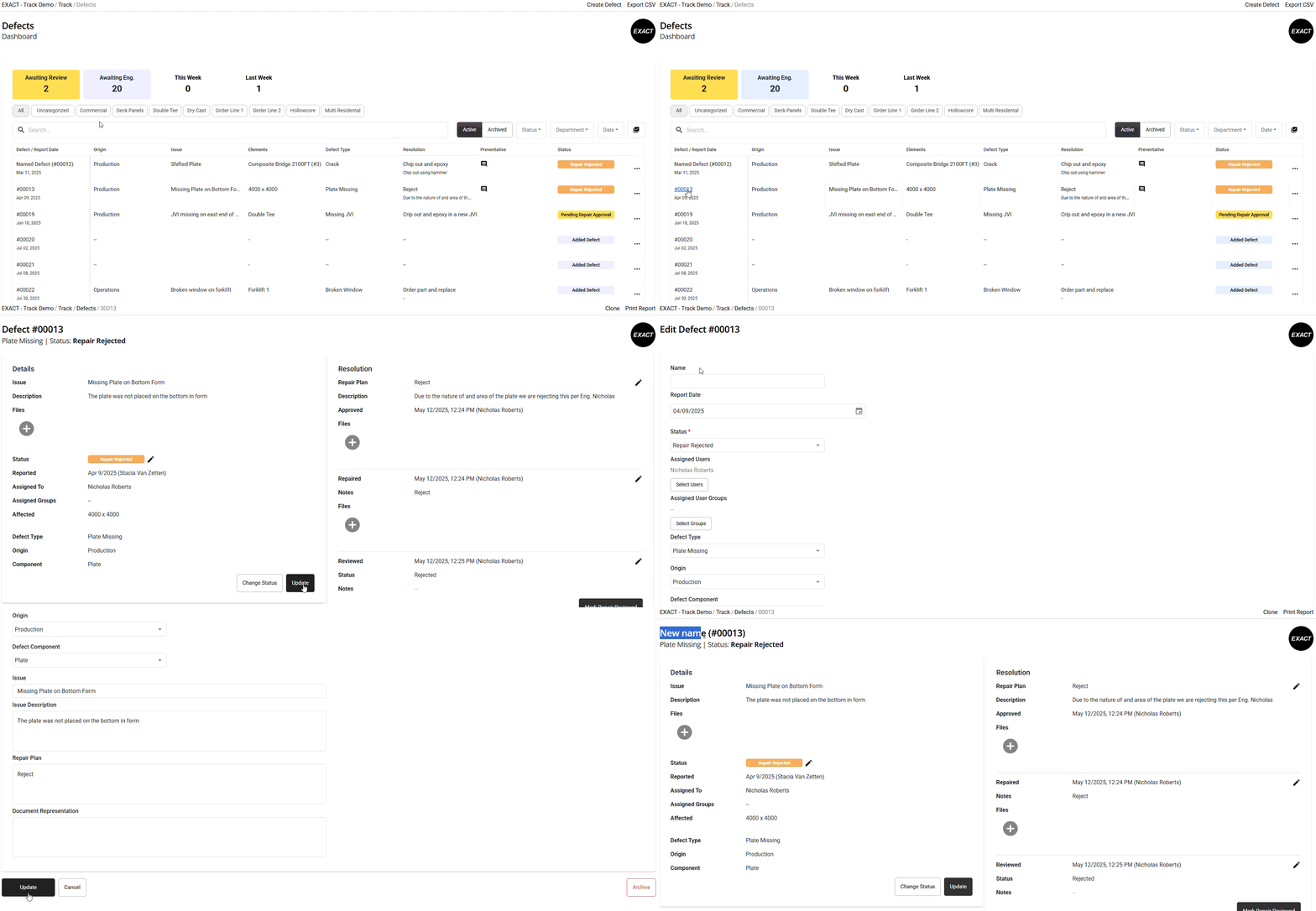
- Defects can now be named for better organization.
- Batch dashboards are more compact as linked elements on the Batches dashboard now appear in a clickable dropdown for easier navigation.
- You can now assign a Project to a shipment.
- A warning will appear if you try to add an element that doesn't belong to the assigned Project.
- Shipment numbers now display as (X of X) to show how many shipments are tied to a Project.
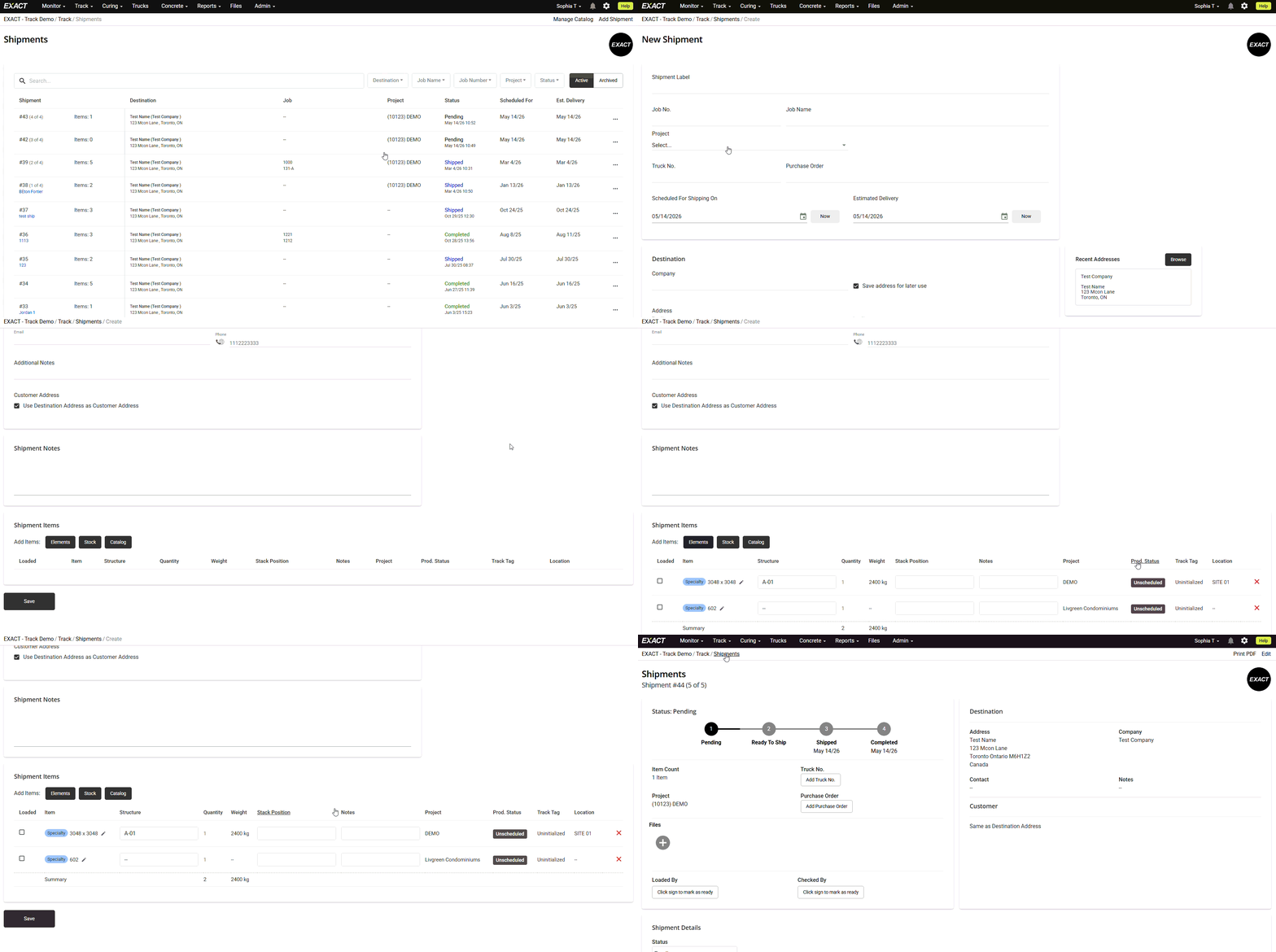
- Update catalog quantities — Catalog quantities can now be updated directly from the 3-dot menu on a shipment.
- Level 2 stressing permissions — Level 2 users can now update strand packs.
Bug Fixes
- Fixed an issue where elements with removed stressing data incorrectly showed "Stressing Failed."
- Fixed dashboard columns defaulting to names like "Job Name Name" in Shipments.
- Fixed elements with a location incorrectly showing "Map" as their title.
- Cleaned up monitor displays for elements that belong to groups.
- Updated the Reports tab to better space out essential property columns.
- Added a loading indicator to the element Activity tab.