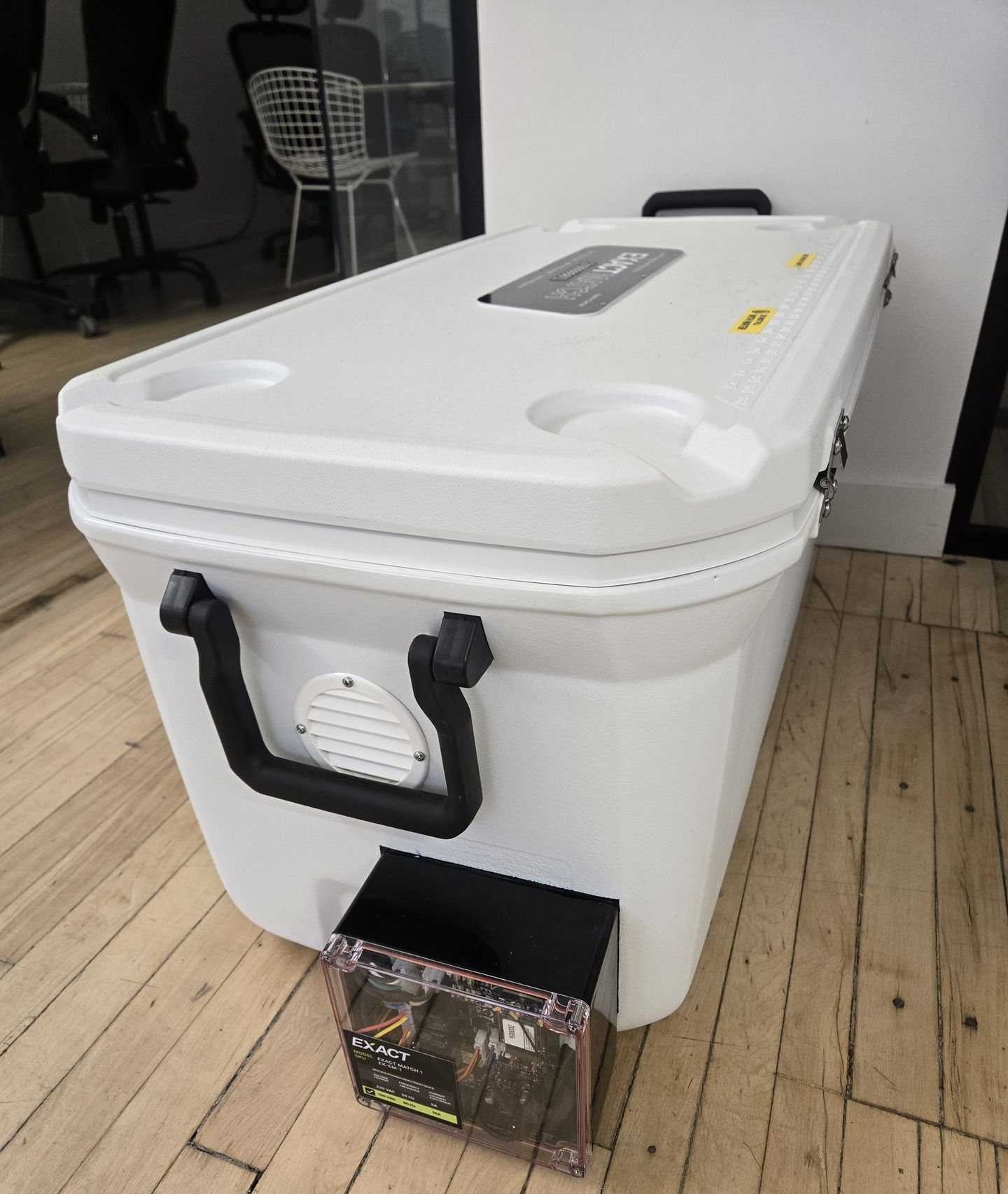
What you need
- A WiFi-compatible EXACT Match 1 (EX-EM-1-WIFI)
- The EXACT QA App, available on the Android and Apple App Stores OR access to the EXACT Portal
Help Center -> Match -> EM1 -> EM1 WiFi Connection Guide
Learn how to connect your EM1 to WiFi
Follow these steps to complete connect your EXACT Match 1 (EM1) to WiFi using the EXACT QA App
01 Plug the EM1 into an outlet
02 Open the EXACT QA App
03 Log into the EXACT QA App
04 Make sure the phone is within 1 m (3 ft) of the EM1 control box
|
05 Turn the EM1 on
⚠️ The EM1 will accept new WiFi credentials in the first minute the device turns on. Restart the EM1 if you need to retry the WiFi connection
06 Navigate through the app using the following video to connect to WiFi
Follow these steps to complete connect your EXACT Match 1 (EM1) to WiFi using the EXACT Portal
01 Plug the EM1 into an outlet
02 Turn the EM1 on
03 Log into the EXACT Portal
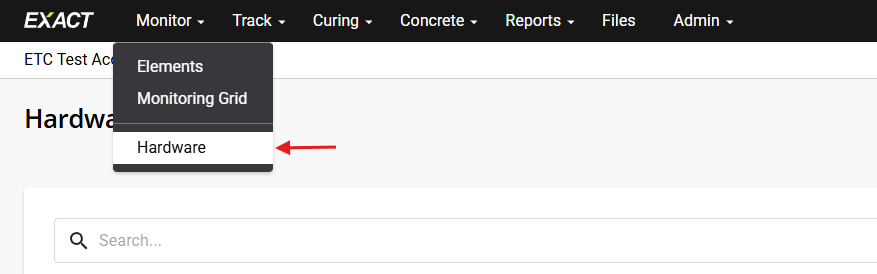
04 Under the Monitor dropdown menu, click on Hardware
05 Filter down to the Device Type of EM1 WiFi and select your device.
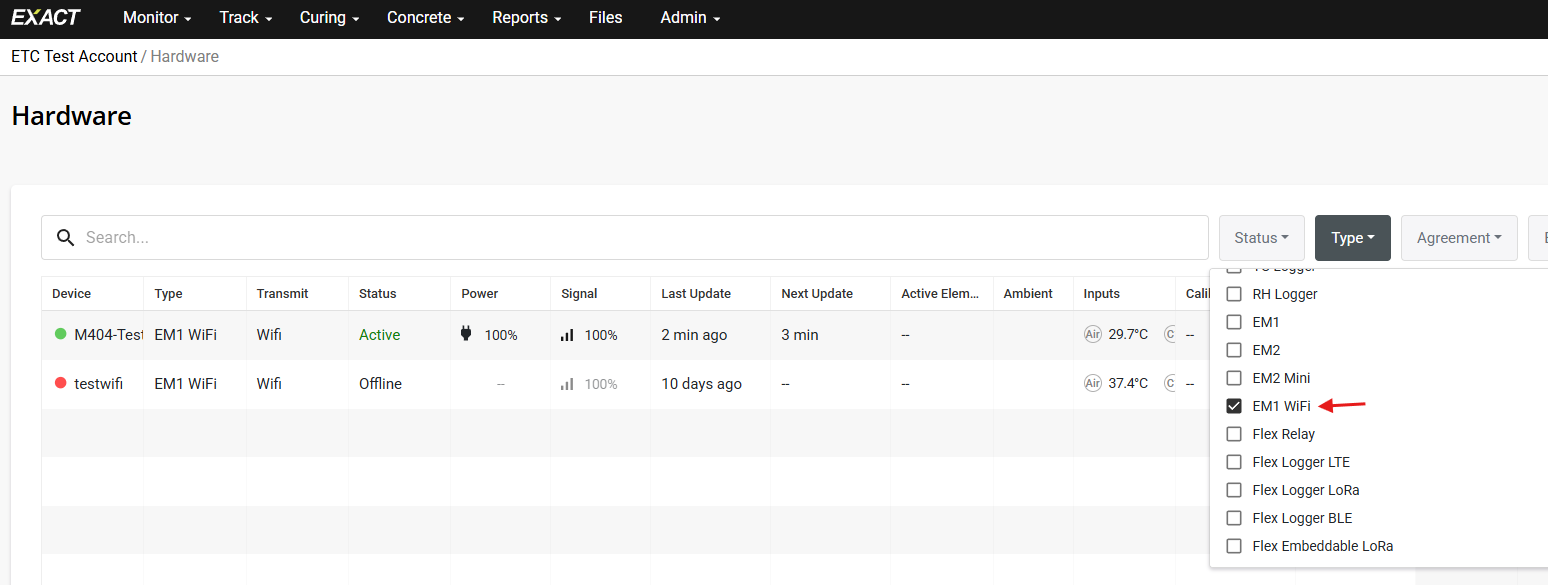
⚠️ If you do not find your device in the Hardware list, your EM1 may not be WiFi compatible. Contact EXACT Support for more information.
06 Click the Configure Wi-Fi button to set the Wi-Fi.
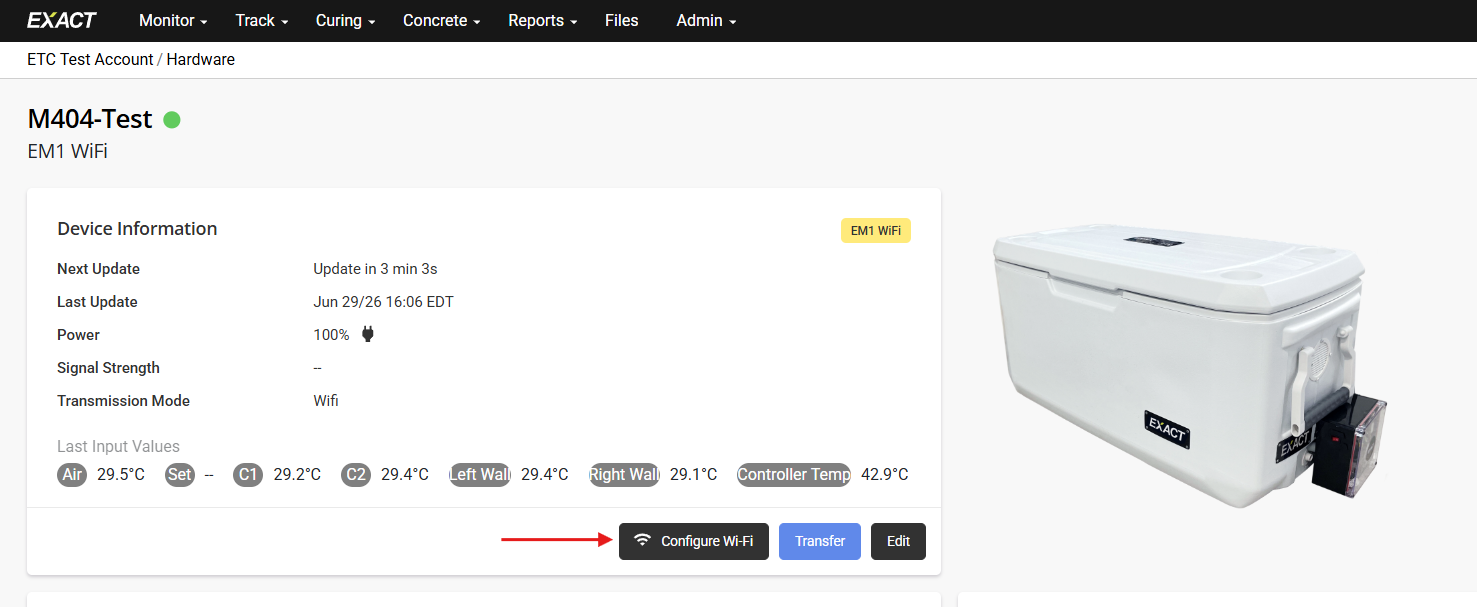
07 The Portal will take a moment to connect to the EM1 and search for WiFi Networks.
08 Select the WiFi Network you wish to use.
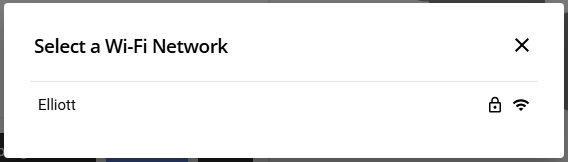
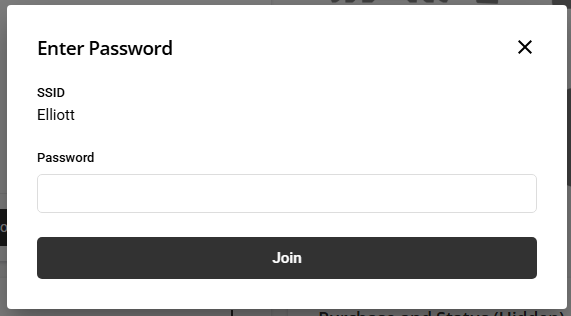
09 Input the WiFi password.
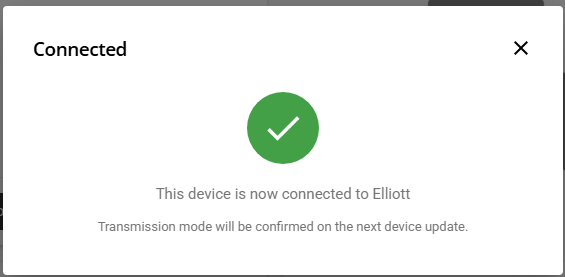
10 The EM1 will take up to 1 minute to connect to the WiFi Network. You will receive a Connection Successful screen when it is done.
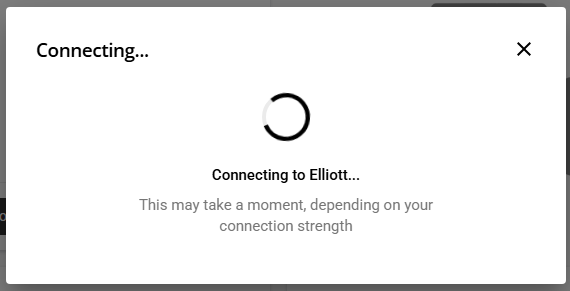
⚠️ If a "Failed to Connect" notice is received, this may be due to an incorrect password or the connection timed out. Try the process again and contact EXACT Support if unsuccessful.
11 Once connection is successful, the transmission mode will be updated the next time the EM1 updates to the Portal.